
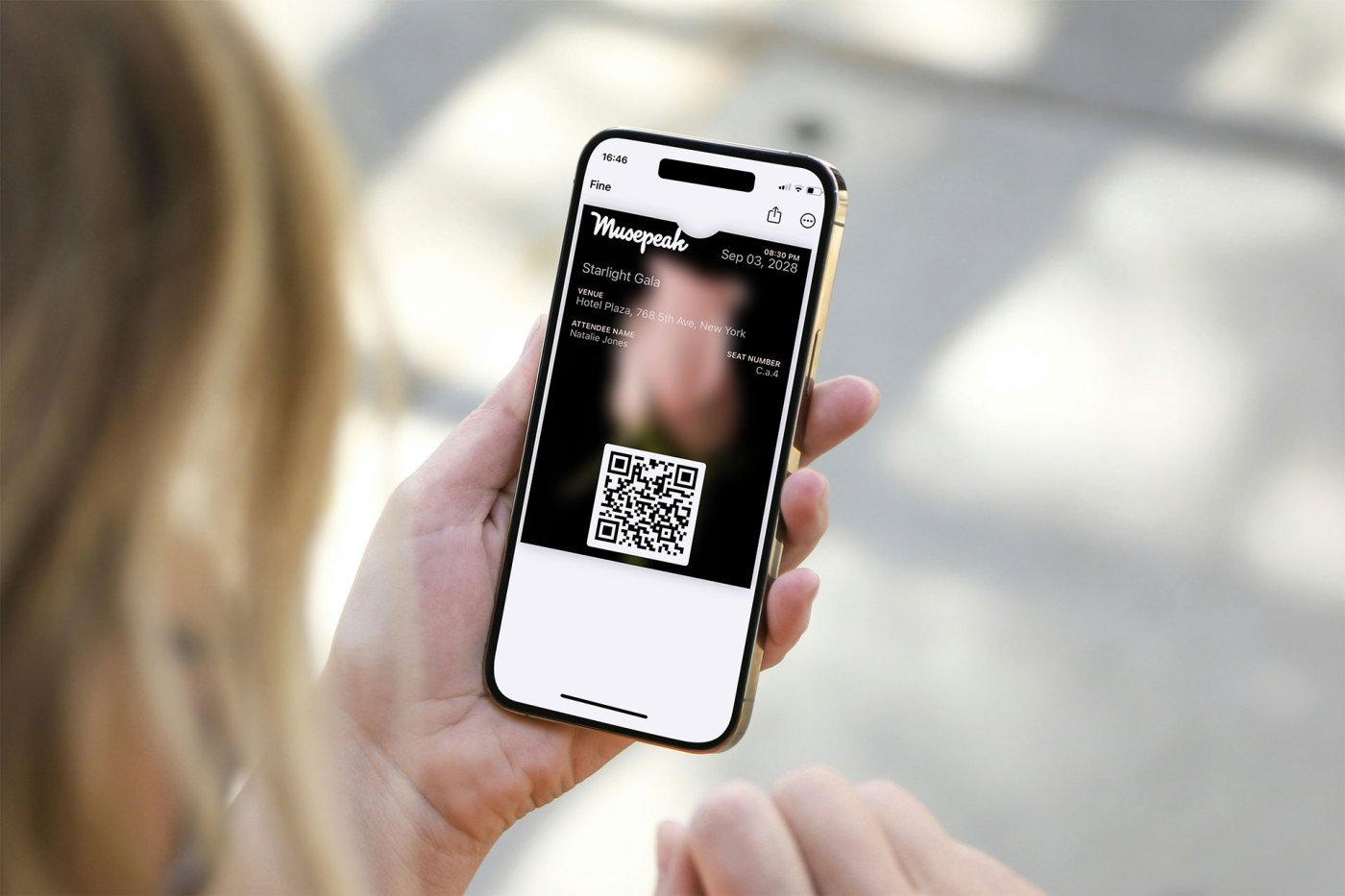
When organizing an event, every touchpoint helps shape the attendee experience. Apple Wallet and Google Wallet passes are more than just an access credential—they’re an opportunity to strengthen your event’s identity, communicate important information, and deliver a more professional experience from the very first interaction with your attendees. In this guide, you’ll learn how to customize Apple Wallet and Google Wallet passes to enhance your event.
With Magnetiq, you can create event passes for both Apple Wallet and Google Wallet. While the customization experience is very similar across both platforms, Apple Wallet currently offers a few additional design options that are not available for Google Wallet passes. Throughout this guide, we’ll highlight these differences whenever relevant.
For event organizers, the ability to customize event passes is not just a branding opportunity—it’s also an effective way to improve attendee satisfaction and engagement. In this article, we’ll explore the benefits of customizing Apple Wallet and Google Wallet passes, how they can enhance the attendee experience, and the design options available.
The Benefits of Customizing Apple & Google Wallet Event Passes
1. Strengthen Your Event’s Branding
One of the main benefits of Apple & Google Wallet pass customization is the opportunity to strengthen your event’s branding. By adding your logo, custom colors, and even background images, the pass becomes an effective tool to communicate your event’s theme and tone.
By keeping your branding consistent across all touchpoints, including the pass, you optimize communication with attendees and ensure that your event stands out.
2. Create a More Engaging Attendee Experience
From the attendee’s perspective, seeing a carefully designed pass in their Apple & Google Wallet increases engagement and gives a sense of professionalism. A pass that includes your branding, theme colors, or a visually striking image shows that you have thoughtfully considered every aspect of the experience. It’s not just a pass—it’s a message of quality and style, and it’s part of the event itself.
3. Improve Communication of Event Information
Customizing Apple & Google Wallet passes allows you to control how event details are displayed. By choosing the right colors for text fields and labels, important data like the venue, event date, and attendee names can be prominently displayed, ensuring that your guests have easy access to all the necessary information.
Design Options for Apple Wallet and Google Wallet Event Passes
Both Apple Wallet and Google Wallet provide a structured way to display event information while maintaining a familiar and intuitive experience for attendees. Although the two platforms have different design capabilities, they share the same objective: presenting the most important event details in a clear, accessible, and professional format.
When designing your event passes, it’s important to follow each platform’s design guidelines: Apple Wallet and Google Wallet. These define how information is displayed and which visual elements can be customized, ensuring that passes remain easy to use while reflecting your event’s identity.
Apple Wallet currently offers the broadest range of visual customization options, while Google Wallet provides a more standardized design experience across Android devices.
Both platforms prioritize information using a similar hierarchy:
- Header: Information that should remain immediately visible, such as the logo or event date.
- Primary fields: The most important details, including the event name or attendee name.
- Secondary and auxiliary fields: Additional information such as venue, seating details, access level, or other event-specific data.
This structured approach ensures that attendees can quickly find the information they need while allowing organizers to deliver a polished and professional event experience.
Three Design Approaches for Your Event Passes
At Magnetiq, our goal is to simplify event organizers’ lives and maximize attendees’ experience. We’ve analyzed these tools and we can offer a summary of the results you can achieve, along with the relevant details.
The layouts you can create for Event Passes fall into three main categories, which for simplicity we’ve named as:
| Available layouts | Apple Wallet | Google Wallet |
| 1. Minimal Design | ✅ | ✅ |
| 2. Banner Design | ✅ | ✅ |
| 3. Background Image Design | ✅ | ❌ |
1. Minimal Design
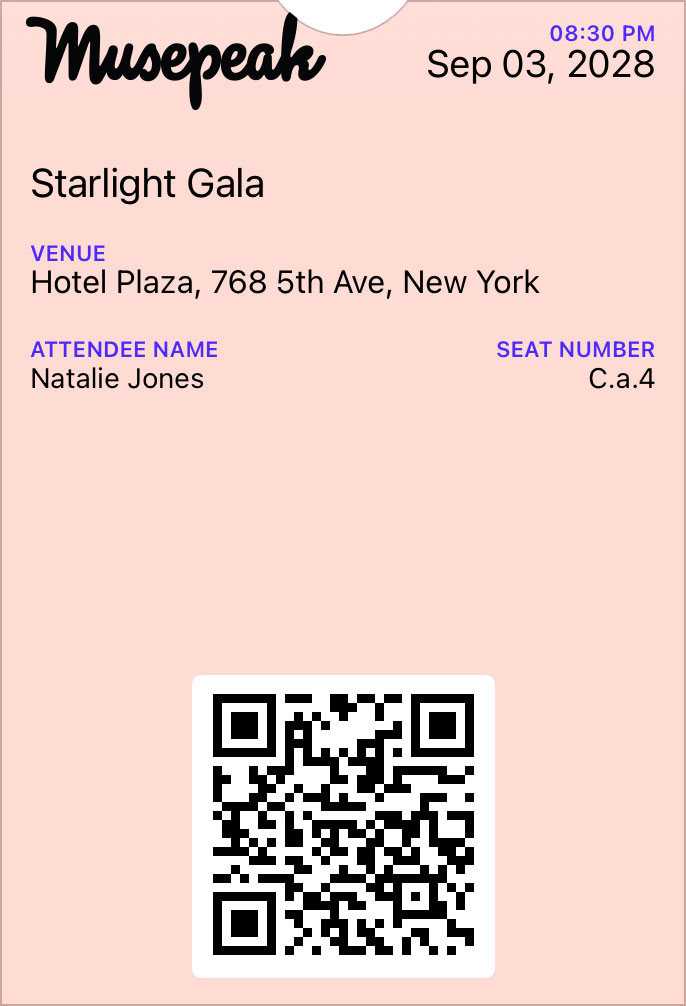
For event organizers looking for a clean and minimalist design, this option uses a flat color background without a banner or background image. The event venue and address are displayed on the front of the pass, making it easy for attendees to view all the key information at a glance.
In this design, the customizable elements include:
- Logo
- Background Color
- Label Text Color (e.g., “Attendee Name”)
- Value Text Color (e.g., the actual attendee’s name)
This design is perfect for events where simplicity and clarity are the priority.
Available for both Apple Wallet and Google Wallet.
2. Banner Design

This design option allows you to upload a cinematic-proportioned banner image positioned below the logo. The approach is more visual, characterized by stronger branding elements and more personality.
In this design, the customizable elements include:
- Logo
- Background Color
- Banner (Strip) Image
- Label Text Color
- Value Text Color
This layout is ideal for events that want a more visually engaging experience while maintaining full control over the text colors.
Note that on Apple Wallet, adding the banner moves the event venue and address to the back of the pass (attendees will need to tap the three dots in the top right and click “Details” to view it).
Available for both Apple Wallet and Google Wallet. Apple Wallet and Google Wallet display event information differently according to each platform’s design guidelines.
3. Background Image Design
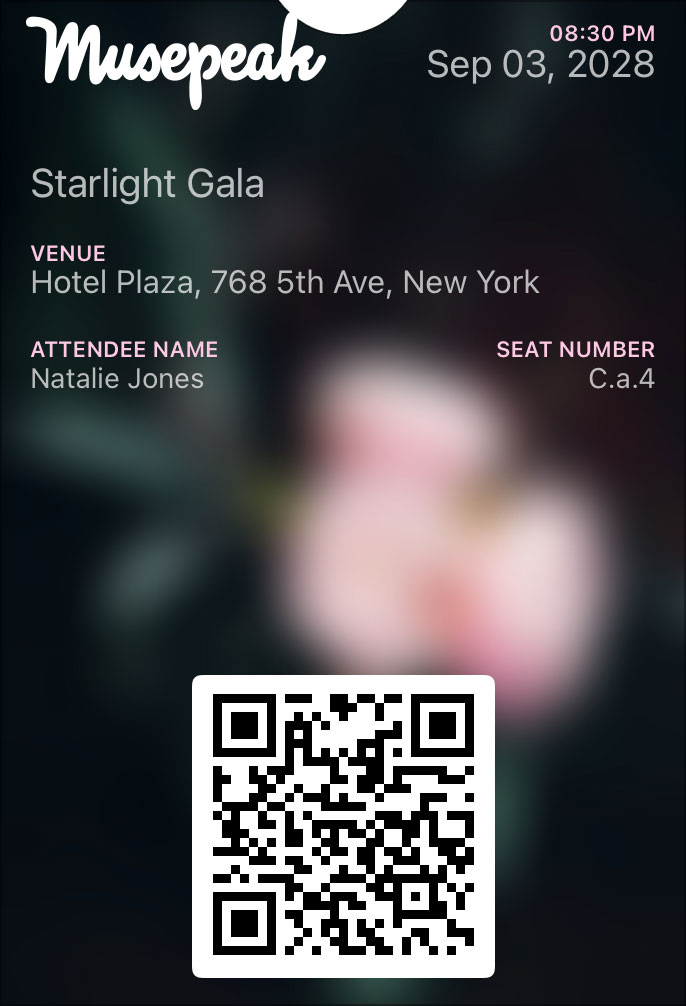
Available exclusively on Apple Wallet.
For a fully immersive pass design, you can upload a background image (recommended size: 180×220 px) that covers the entire available space. This design offers the most impactful visual experience but comes with some important considerations:
- The background image is automatically blurred by Apple.
- The value text color (e.g., attendee’s name) is set to light gray by default.
- Given the light gray text, it’s essential to use a mid-dark or dark background image to ensure readability.
- With a dark background image, it’s important to upload a light-colored version of your logo for better contrast.
The advantage of this design over the Banner Design is that the venue address remains visible on the front of the pass.
In this design, the customizable elements include:
- Logo
- Background Image
- Label Text Color
This design is perfect for events that want to create a strong visual impact and an all-encompassing brand experience.
Apple Wallet vs Google Wallet: Feature Comparison
Both Apple Wallet and Google Wallet provide an excellent experience for storing and presenting event passes. While the core functionality is consistent across both platforms, there are some differences in the design customization options available.
The comparison below summarizes the current customization capabilities of each platform:
- ✅ The feature can be customized.
- ⚙️ The feature is managed automatically by the platform.
- ❌ The customization option is not available.
| Feature | Apple Wallet | Google Wallet |
|---|---|---|
| Logo | ✅ | ✅ |
| Banner Image | ✅ | ✅ |
| Flat Color Background | ✅ | ✅ |
| Background Image | ✅ | ❌ |
| Label Text Color | ✅ | ⚙️ Automatic |
| Value Text Color | ✅ Flat Color Background only | ⚙️ Automatic |
| QR Code | ✅ | ✅ |
Deliver Beautifully Branded Event Passes with Magnetiq
Custom Google and Apple Wallet passes are more than just a tool for entry—they reflect the professionalism and identity of your event. By learning how to customize Google and Apple Wallet passes for event management, you can elevate your attendees’ experience, strengthen your event’s branding, and ensure that important information is communicated clearly.
Ready to enhance your event with customized passes? Start designing your Google & Apple Wallet passes with Magnetiq today and see how it transforms the way attendees experience your event. Contact us to find out more about how Magnetiq can help elevate your event management process.
(Main picture by Giorgio Trovato / Unsplash)